'%20stroke-width='82'%20stroke-linecap='round'%20stroke-linejoin='round'%20/%3e%3cpath%20d='M%20345%20200%20L%20360%20130%20L%20405%20200%20Z'%20fill='url(%23zenboost-gradient)'%20/%3e%3c/svg%3e) Zenboost
ZenboostThe questions your prospects type, in a single wheel
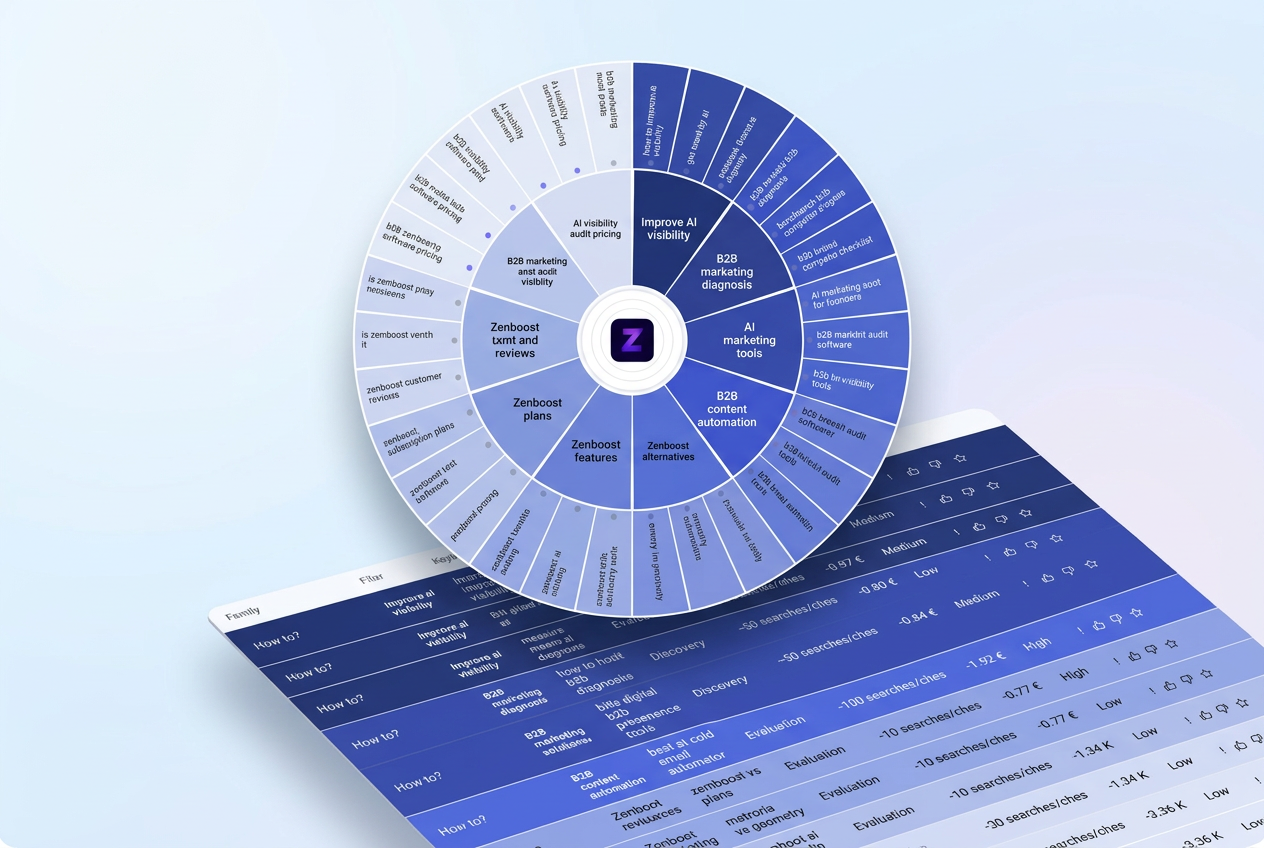
Zenboost derives the pillars that represent you from your website and scan, then the questions and queries prospects ask around each one: from "How to?" all the way to "Purchase & Decision". You see at a glance where to focus your content.
 AI
AIWhat you get
How to?, Which solutions?, Comparison, Choosing my brand, Reviews & Reputation, Purchase & Decision: your prospect's full journey, in the same logic as AI Visibility.
The middle ring uses the themes that represent your website and scan, not a generic list.
Discovery, Evaluation, Decision, Reassurance: filter the wheel and table to speak at the right stage.
Each keyword shows an indicative volume and cost per click, clearly presented as estimates.
One sort highlights low-competition, high-potential keywords to work on first.
Star your favorite keywords, then generate an article proposal for each one from the Content page.
How it works
- 01Zenboost analyses
From your 360° Scan, Zenboost identifies the pillars that represent your offer.
- 02Zenboost builds the wheel
For each pillar, long-tail queries are sorted by family and intent, with their estimates.
- 03You take action
Pick your favorites, export the table to CSV and generate your articles.
A wheel colored in the palette of your choice, with a full table below: family, pillar, keyword, intent, volume, CPC, competition and potential.
See a real exampleWhy you can trust it
Grounded in your scan
Pillars come from your website and the competitors detected by the scan.
Honest estimates
Volumes and CPC are indicative estimates based on sector and intent — not certified Google data.
Nothing to install
No access to your website or accounts is required.
In your language
The wheel is generated in your scan's content language, French or English.
What it is for, in practice
Frequently asked questions
- How much does the keyword wheel cost?
- Generating it costs 5 credits, refunded if it fails.
- Do the volumes come from Google?
- No. They are indicative estimates based on sector and intent, presented as such.
- Can I export the keywords?
- Yes, the table exports to CSV.
- How do I create an article from a keyword?
- Star it, then generate the article from the Content page.
Discover my keywords
Enter your website address: your 360° Scan is ready in a few minutes, then you generate your wheel.
Use the full form