'%20stroke-width='82'%20stroke-linecap='round'%20stroke-linejoin='round'%20/%3e%3cpath%20d='M%20345%20200%20L%20360%20130%20L%20405%20200%20Z'%20fill='url(%23zenboost-gradient)'%20/%3e%3c/svg%3e) Zenboost
ZenboostYour LinkedIn page, finally read in numbers
The LinkedIn module pulls the real activity of your company page: posts published, likes, comments, reposts, and how it all moves month by month. You see at a glance whether your rhythm holds, which posts worked, and what to publish next.
 AI
AIWhat you get
Followers, posts, likes, comments and reposts over the analysed period — measured, not estimated.
A month-by-month chart where silent months stand out: the number-one weakness of most B2B pages.
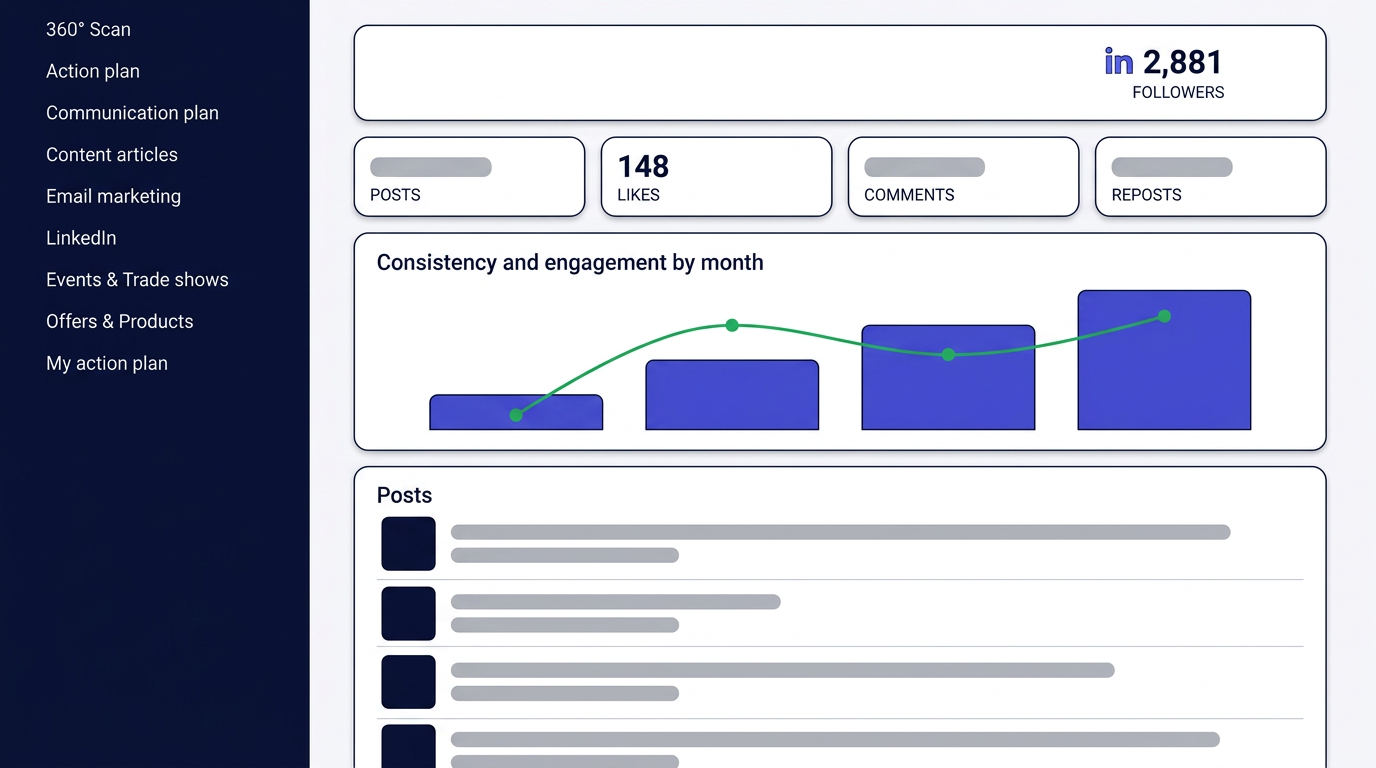
Bars show post volume, the line shows total engagement, so you can tell whether posting more actually earns more.
Every post is listed with its date, engagement and original link, newest first.
Click a month in the chart to see only those posts and understand a spike or a dip.
Editorial recommendations join your roadmap in one click.
How it works
- 01Zenboost finds your page
Your company's LinkedIn page is identified from your website, then its public activity is collected.
- 02Zenboost computes your metrics
Post volume, engagement per post and per month, plus a baseline average to separate strong months from weak ones.
- 03You fix your rhythm
Silent months, formats that work and topics that travel shape your next publishing calendar.
The dashboard shows your metrics, the consistency chart and the full list of analysed posts.
See a real exampleWhy you can trust it
Measured numbers, not an estimate
Followers, posts, likes, comments and reposts are pulled from your page's real public activity, month by month, with no extrapolation.
A traceable read, down to the original post
The consistency chart can be filtered by month, and every listed post keeps its date, engagement and original link, so you can always trace a finding back to the post behind it.
Nothing at risk in trying it
The first analysis is free, with no credit card, no commitment, and no login to your LinkedIn account is ever requested. Your data is used only to produce your report: never resold, never used to train public models.
Built for a B2B SME
The analysis focuses on your company page and its real vocabulary, with no audience-measurement jargon. No social media expertise required: every dip or spike comes with a recommendation you can add to your roadmap.
What it is for, in practice
Frequently asked questions
- Do I have to connect my LinkedIn account?
- No. The module uses the public data of your company page: no login and no password are ever requested.
- What if no page is found?
- The module says so explicitly. You can then relaunch the scan and provide your LinkedIn page address.
- Which period is analysed?
- The recent posts available publicly, shown with their exact date and grouped by month.
- Are personal profiles analysed?
- The module targets the company page. Founder and executive posting is covered instead in the communication plan.
Analyse my company
Enter your website address: your LinkedIn page is analysed in minutes.
Use the full form instead