'%20stroke-width='82'%20stroke-linecap='round'%20stroke-linejoin='round'%20/%3e%3cpath%20d='M%20345%20200%20L%20360%20130%20L%20405%20200%20Z'%20fill='url(%23zenboost-gradient)'%20/%3e%3c/svg%3e) Zenboost
ZenboostA sourced watch note, on demand
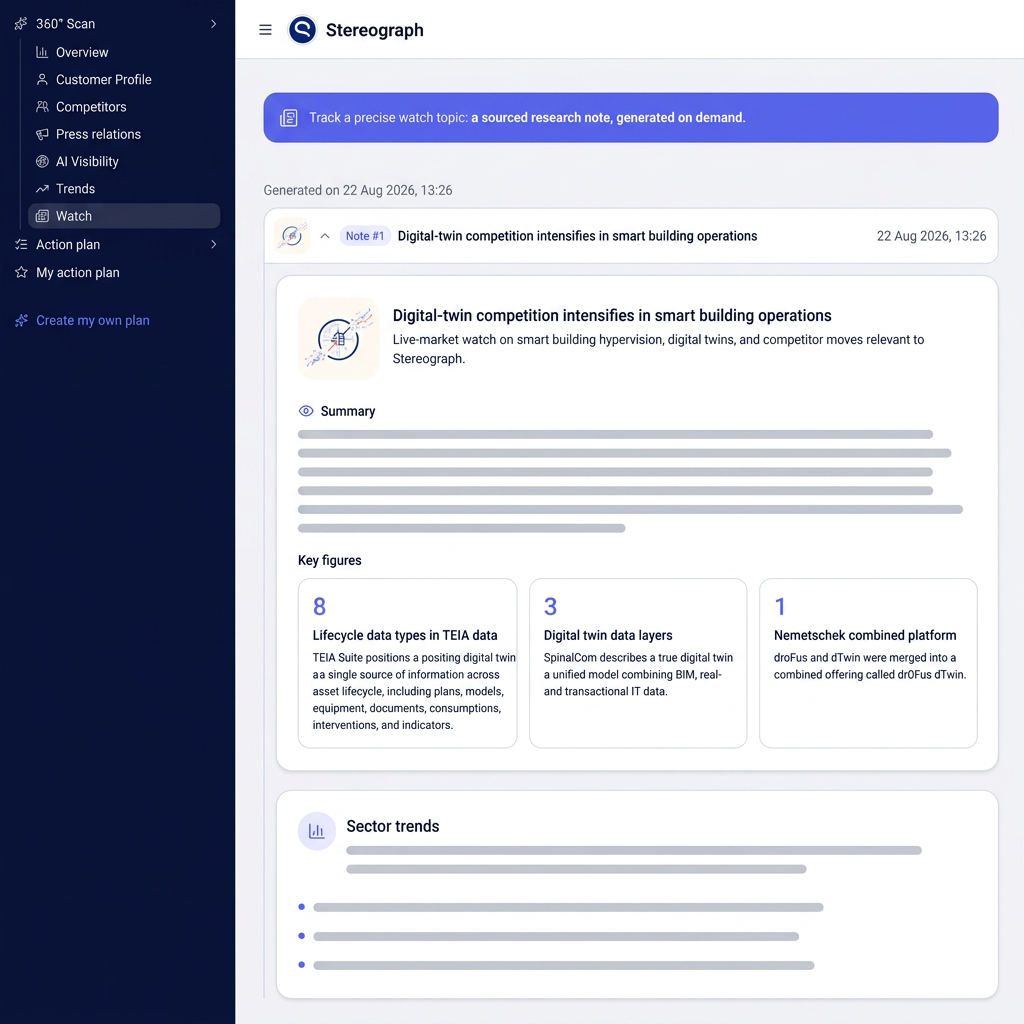
The Market watch module turns a topic you type into a structured research note: summary, key figures, market moves and checkable sources. Zenboost also suggests complementary angles, and your notes stack up into a readable history.
 AI
AIWhat you get
Type the topic to follow — a competitor, a technology, a regulation, a customer segment — and the note is written on it.
A readable note: what is happening, what is changing, what it means for you. Not a pile of links.
Standout data points are extracted and numbered, each pointing back to the source that states it.
Zenboost proposes other angles on the same topic, one per line, each launchable in one click.
Every note stays available, collapsed by default, so you can follow a topic over time.
Recommendations coming out of a note join your Roadmap in one click.
How it works
- 01You type a topic
One sentence is enough. You can also start from one of the angles Zenboost suggests from your analysis.
- 02Zenboost researches
The search runs live on the web, then comes back as a structured note with its sources.
- 03You use it
Share the note, bookmark what should become an action, and re-run the topic later to measure the shift.
A watch note reads in two minutes: summary at the top, key figures in the middle, sources at the end.
See a real exampleWhy you can trust it
A note, not a vague press review
You get a structured summary with numbered key figures, each pointing back to its source. You can reopen a note later and see exactly what changed since, instead of relying on memory.
Research run live, not recycled
The search starts from the topic you type, runs on the web the moment you launch it, and comes back as a note with checkable sources. The history keeps every note produced, so you can trace how a topic evolved.
Nothing at risk in trying it
The first analysis is free, with no credit card, no commitment and nothing to install on your website. Your data is used only to produce your note: never resold, never used to train public models.
Built for a B2B SME
You type the topic in your own words, in your industry's vocabulary, without writing an expert search query. Every note comes with actions you can bookmark and add to your roadmap.
What it is for, concretely
Frequently asked questions
- How is Market watch different from Trends?
- Trends gives the automatic overall reading of your market. Market watch answers a precise topic you choose, on demand, and keeps the history of your notes.
- Are the sources verifiable?
- Yes. Every key figure and claim links back to the web source used, openable straight from the note.
- How many notes can I generate?
- The number of scans depends on your plan. The usage meter always shows what you have left.
- Can the notes be shared?
- Yes. They appear in the public share link and in the PDF export, history included.
Analyse my company
Enter your website address, then launch your first watch note on the topic of your choice.
Use the full form instead